
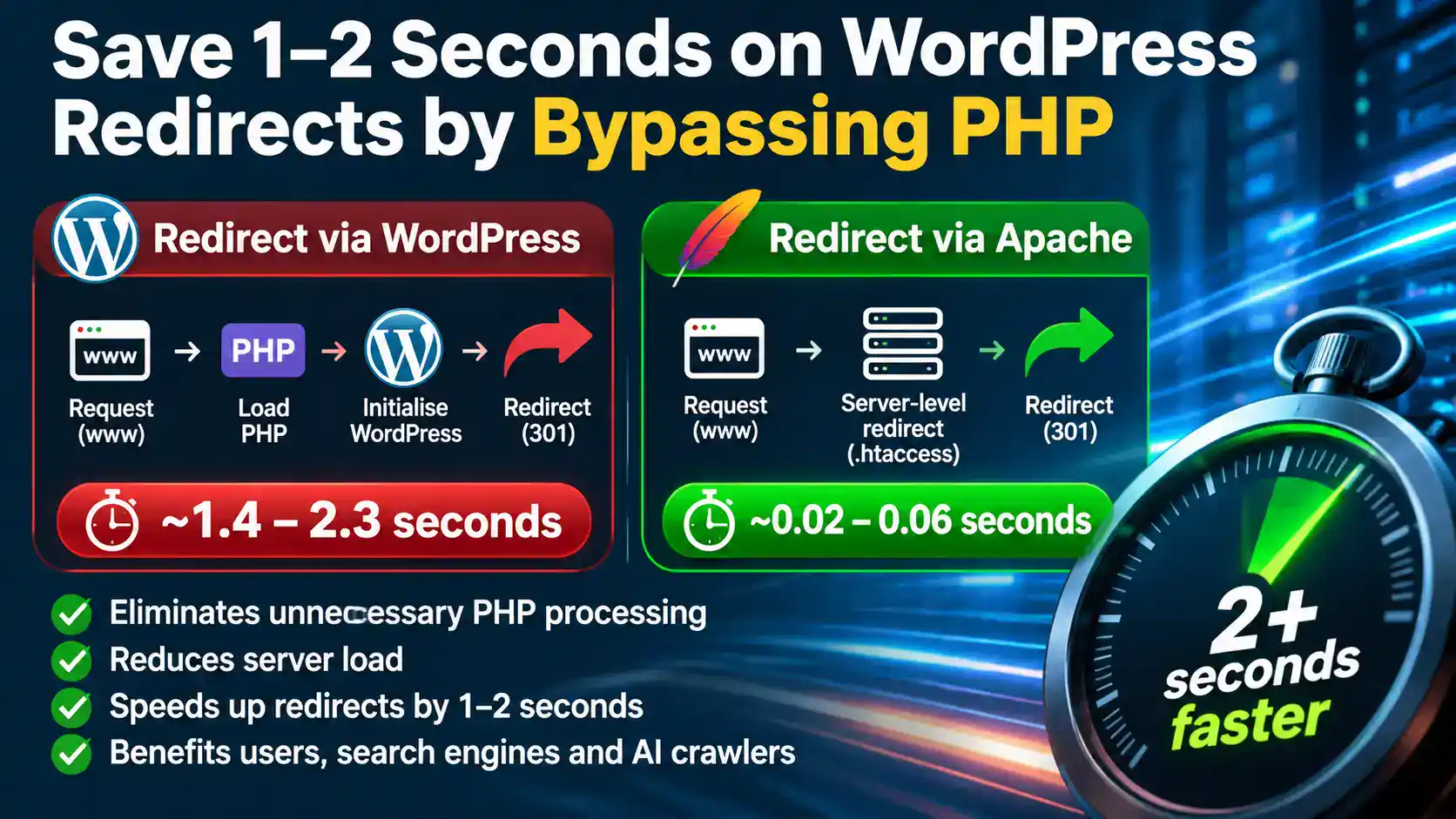
Moving redirects to Apache can eliminate one to two seconds of unnecessary WordPress processing.
How to Save 1–2 Seconds on WordPress Redirects by Bypassing PHP
One or two seconds is an eternity in website loading time — long enough for a potential customer to lose patience and leave. Yet one surprisingly common source of unnecessary delay is also one of the easiest to fix: WordPress processing redirects that the web server could handle directly.
Moving predictable redirects to the web-server layer removes unnecessary PHP processing and can substantially reduce the time visitors spend waiting for redirected requests. The actual saving depends on the hosting environment and application workload.
Three lines of configuration. No additional plugins. No hosting upgrade.
Is WordPress Handling Your Redirects?
Finding out takes only a few seconds. Open Windows PowerShell and run the following command, replacing example.com with your own website domain.
curl.exe -s -o NUL -D - https://www.example.com/HTTP/1.1 301 Moved Permanently
X-Powered-By: PHP/8.3.37
X-Redirect-By: WordPress
Location: https://example.com/Problem identified. PHP and WordPress are being invoked simply to issue a redirect — a task the web server can perform directly.
Move the Redirect to the Web Server
On an Apache or compatible web server, locate the .htaccess file in the website's document root and make a backup. Add the following rule above the WordPress rewrite block, replacing example.com with your own domain.
# Canonical non-www redirect
RewriteEngine On
RewriteCond %{HTTP_HOST} ^www\.example\.com$ [NC]
RewriteRule ^ https://example.com%{REQUEST_URI} [R=301,L]
This assumes your preferred website address is HTTPS without www. The web server now returns the permanent redirect before WordPress is loaded.
No PHP invocation
No WordPress initialisation
No WordPress database queries
The original URL path and query string are preserved. Existing links, campaign tracking parameters and search engine references continue to function.
Verify the Result — Never Assume
Repeat the diagnostic test, this time including a valid page path and a query string to confirm that neither is lost during the redirect.
curl.exe -s -o NUL -D - "https://www.example.com/ai-observatory/?test=1"HTTP/1.1 301 Moved Permanently
Content-Type: text/html
Content-Length: 795
Location: https://example.com/ai-observatory/?test=1Verification successful. The server-level rule is now handling the redirect without invoking WordPress, while preserving the original request parameters.
Small Change. Significant Impact.
Saving a second or two on an individual redirect is valuable enough. But on a busy website, eliminating thousands of unnecessary PHP invocations can also reduce competition for server resources.
Less waiting before the requested page begins loading, particularly when following older links.
Fewer unnecessary PHP requests and more processing capacity available for genuine application workloads.
Faster redirect responses for automated crawlers accessing non-canonical URLs.
This is particularly relevant to large WooCommerce websites, where automated systems can request thousands of product and category URLs and repeatedly trigger redirects.
WordPress Redirect Performance FAQ
Will moving redirects to Apache affect my SEO?
No adverse SEO impact is expected when the destination URL, permanent 301 status and request parameters remain unchanged. Search engines receive the same redirect instruction, but without the unnecessary WordPress processing delay.
Will this make every page load faster?
The direct time saving applies to requests that trigger the optimised redirect. However, reducing unnecessary PHP processing can also free server resources for other requests, particularly on busy or resource-constrained websites.
Can I move other WordPress redirects to Apache?
Yes. Predictable redirects involving canonical hostnames, trailing slashes and permanent URL changes are often suitable for server-level implementation. Each rule should be tested carefully to prevent redirect loops or unintended changes to legitimate URLs.
Do I need a plugin or a more powerful hosting plan?
No. On an Apache or compatible hosting platform supporting .htaccess rewrite rules, this optimisation requires only a small configuration change.
Technical Evidence & Further Reading
Our original VPS investigation, including measured redirect performance, PHP processing overhead and server resource utilisation.
Engineering investigation into the infrastructure challenges associated with automated retrieval of large product catalogues.
Authoritative documentation covering server-level URL rewriting and redirect configuration.
Technical reference for redirect status codes, rewrite processing and query string preservation.