
Technical Solution Problem 10: Integrating Google Workspace for Secure File and Personal Data Upload
Welcome to Sydney Business Web Technical Solutions Problem 10: Why Uploading Critical Personal Files and Data Securely on Your Website
Every day, we solve problems for eCommerce website owners. We had a think about how we might use this activity to help others, and came up with this idea: Every week or three, we'll take the trickiest problem and publish our solution.
Important! - Some of these solututions involve adding code to your website (WordPress and Woocommerce mostly), so please ALWAYS be careful. We are not in any way responsible, directly or indirectly for any impact or consequences our code or advice has on your website, nor are we liable for any damage arising from such use.
Always back up your website before changing or adding code and/or editing the database, This is critically important!!!
PROBLEM 10: Uploading Sensitive Data Securely
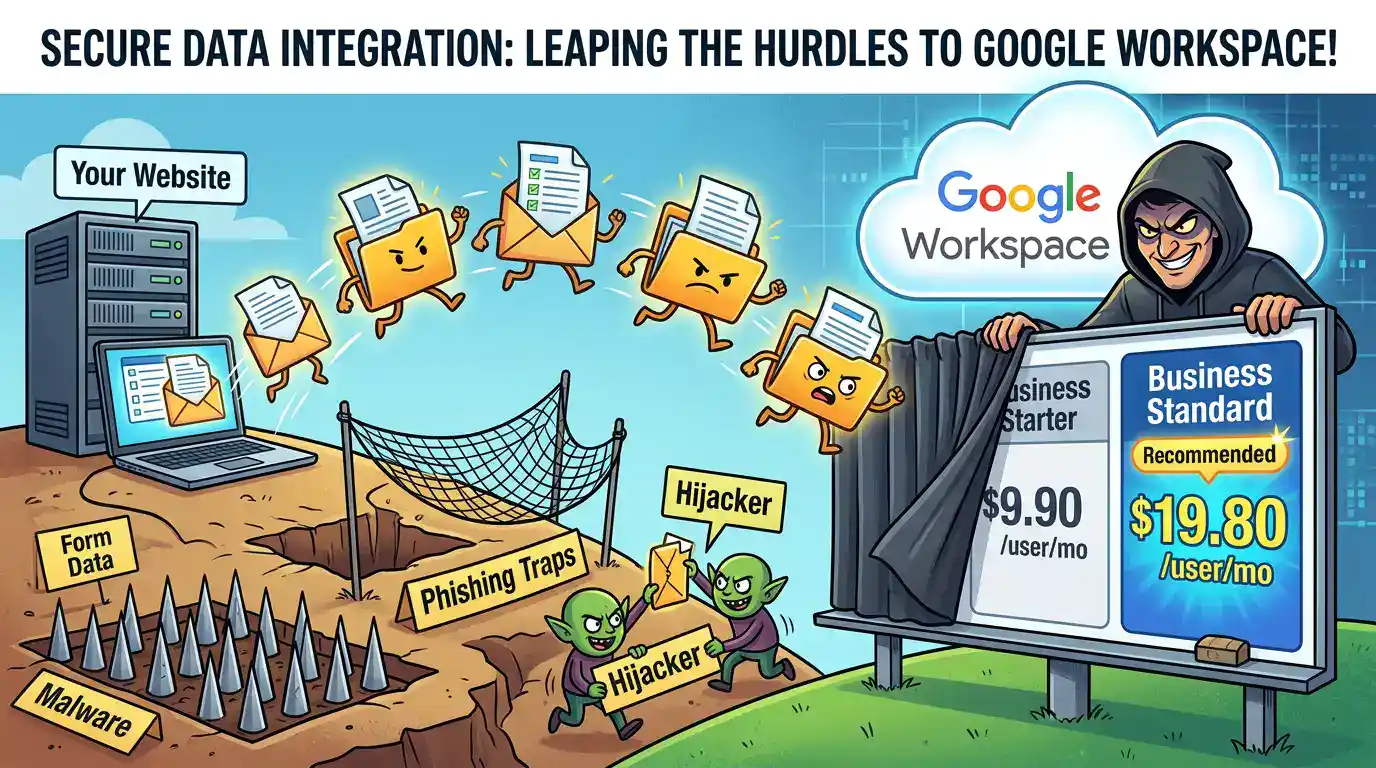
Technical Solution Problem 10: The Google Workspace Integration Minefield
In our previous technical solution, “Why Critical Website Emails Fail”, we explained how we engineered a reliable, professional delivery path for a client whose website needed to handle bookings, email notifications, spreadsheet logging, and sensitive file uploads without leaving unnecessary data behind on the web server.
That original solution was not a gimmick. It was a carefully designed, security-conscious workflow built to reduce risk, minimise data exposure, and keep the system practical for day-to-day business use. For this Battlefield Tours client, our approach was simple: move important data where it needed to go, and do not leave sensitive material lying around in the middle.
At Sydney Business Web, based in Thornton, NSW, we often apply a straightforward engineering principle to website security: you cannot steal what is not sitting there waiting to be stolen. That led to a zero-footprint style workflow built around:
- Secure form handling through WordPress and Fluent Forms.
- Automated spreadsheet logging into Google Sheets for operational visibility.
- Document transfer to cloud storage so uploaded files did not remain on the website any longer than necessary.
- Lean data retention so the website did not become an unnecessary repository of passports, identity documents, or booking paperwork.
And then, after the system had been working, the platform side turned hostile.
This page is about what happened next: how a sound technical setup was suddenly disrupted by account flagging, login lockouts, opaque recovery paths, buried plan-selection steps, repeated re-authorisations, and a forced rebuild onto Google Workspace. It is also about what business owners and web developers should learn from that experience before trusting any third-party cloud platform with critical workflow infrastructure.
The account was not merely “a bit awkward” after restoration. It had been demonstrated to the client as fully functional on the Friday, then by Monday it was effectively unusable, and several days later it still remained inaccessible behind repeated “too many attempts” lockouts. For any business depending on continuity, that is unacceptable.
A secure website workflow is only half the job. If the platform controlling the identity, mail, storage, and authorisation layers becomes unstable, opaque, or obstructive, the whole system can be thrown back into chaos.
What We Had Actually Built Before the Trouble Started
Before anything went wrong, the system was already doing exactly what it was supposed to do. This matters, because one of the most common mistakes in technical write-ups is to assume the original design must have been flawed simply because a later stage turned into a disaster. In this case, that would be false.
The website workflow had been designed around a practical security principle: collect what is needed, move it promptly to the correct destination, and avoid retaining sensitive material on the public-facing website any longer than necessary. That is not only sensible engineering. It is often the difference between a professional business system and a casually assembled liability.
For this client, the stack included WordPress, Fluent Forms, Google Sheets, and cloud-based file handling so that booking data, uploaded documents, and notifications all had a clear destination:
- The form captured booking details and uploads from the user.
- The notification path ensured the business was alerted when a submission arrived.
- The spreadsheet path logged structured booking information into Google Sheets for administration and follow-up.
- The document path moved uploaded files into cloud storage rather than leaving them sitting indefinitely on the website.
- The retention logic reduced what remained on the website after successful delivery, helping keep the public server leaner and less exposed.
In plain English, the site was not being used as a filing cabinet for identity documents. It was being used as a controlled intake point. That distinction is important. If your website accepts sensitive files, and those files simply pile up in the media library, temporary folders, or database while everybody hopes for the best, you do not have a professional workflow. You have a risk concentration point.
This original arrangement had already been demonstrated, tested, and shown to work. That is why the next phase was so maddening. The trouble did not begin because the business process was unsound. It began because the platform sitting above it became unstable, restrictive, and, at times, absurdly difficult to navigate.
A working secure workflow should not have to be abandoned because an external platform suddenly becomes the weakest link in the chain.
When a Working Setup Gets Flagged, Restored, and Still Becomes Unusable
The real trouble started after the original Google-based setup, which had been functioning, was suddenly flagged for breaching rules. That in itself was bad enough. But the deeper problem was what happened next: the account was restored on appeal, yet normal access still collapsed into a “too many attempts” loop. In other words, the formal restoration did not equate to practical usability.
This is an important lesson for readers. In modern cloud systems, an account can be described as “restored,” “active,” or “available” while still being functionally impaired by downstream friction in login, identity, device trust, verification, or authorisation layers. From the business user’s point of view, that distinction is academic. If you cannot reliably get in and continue operations, the platform is still broken.
What made this especially damaging was that the original workflow was not some experimental toy. It was part of a live business build involving forms, notifications, spreadsheets, document handling, and client communication. Once the sign-in and account path became unreliable, the entire integration chain had to be treated as suspect. Not because every component had failed, but because the trust anchor at the centre of the system had become unstable.
At that point, we were no longer dealing with a clean technical implementation problem. We were dealing with what felt like a platform-governance problem: opaque triggers, difficult recovery, repeated authorisation friction, and too many hidden dependencies hanging off a supposedly simple setup. A business owner does not care whether the obstruction comes from security policy, compliance automation, identity heuristics, or account-risk scoring. The effect is the same. Work stops. Confidence drops. Time burns.
That is why the project changed from “finish a secure upload workflow” to “rebuild the operational foundation on something less fragile.” Once that decision was made, the path led to Google Workspace. But that, as we found, was not a clean upgrade. It was another maze entirely.
A cloud account is not truly restored until a real user can sign in, work normally, and trust the system again.
The Google Workspace Maze: Even Reaching the Smallest Sensible Plan Became a Trial
Once it became clear that the original Google account path could no longer be trusted, the logical move was to shift the client onto Google Workspace. That should have simplified matters: proper domain email, managed administration, business storage, support, and a more stable foundation for forms, uploads, spreadsheets, and notifications.
Instead, the migration began with a fresh layer of confusion.
What we actually needed was modest and entirely normal for a small business: one professionally managed Google Workspace user on the lowest suitable paid plan. We were not trying to build a multi-user corporate environment. We were not chasing premium extras. We simply needed the proper business-grade footing for domain email, Google Drive, Gmail, administration, and reliable integration with the website.
Yet in practice, getting to that entry point was far harder than it should have been. The route to Business Starter did not present itself to us as a clean, obvious choice at the point where it was most needed. Instead, the journey pushed us into the more expensive Business Standard path first, and only later—through further account and billing navigation—did the route back down to Starter finally become clear.
That is worth spelling out plainly. We ended up effectively having to go up before we could sensibly go down: sign up at the higher level, get far enough into the system to find the relevant controls, and only then work our way back to the plan that suited the job from the beginning. For a small business trying to do a straightforward professional setup, that was an astonishingly clumsy experience.
This was not just a matter of “serious systems being complex.” Complex systems can still be coherent. The real problem was that the complexity kept appearing in the wrong places. Instead of spending our time on useful engineering decisions—mail routing, domain verification, OAuth permissions, spreadsheet mapping, file handling, and data retention—we were spending hours fighting through plan flow, account transitions, authorisations, and administrative detours just to establish the correct commercial base.
Even Google’s own AI guidance, which we used as a companion while feeling our way through the process, struggled to navigate the path cleanly. That alone tells a story. If the platform’s own automated assistant cannot consistently guide a technically competent user toward the smallest appropriate business setup without confusion, then the problem is not lack of user effort. The problem is that the journey itself has become unnecessarily convoluted.
The real absurdity was this: the smallest sensible paid Google Workspace setup for a small business felt harder to reach than the technical integration it was supposed to support.
Why the Buried Route to Starter Mattered Technically, Not Just Commercially
It would be easy to dismiss this as a billing annoyance. It was much more than that.
When you are rebuilding a live website workflow under pressure, the account layer, the billing layer, the admin layer, and the authorisation layer are not peripheral details. They directly affect how quickly and safely the real technical work can proceed. If those layers are awkward, obscured, or repeatedly interrupted, they stop being background administration and become part of the engineering difficulty itself.
That is exactly what happened here. Before we could finish reconnecting the website stack, we had to spend time navigating plan selection, getting the right Workspace footing, dealing with repeated authorisations, sorting out account behaviour, and working through controls that should have been easier to reach. Every hour lost there was an hour not spent on the actual business workflow.
And the workflow itself was not trivial. It involved Fluent Forms, FluentSMTP, Google Sheets, cloud-based file handling, domain email, aliases, and a deliberate privacy model in which successful submissions and uploaded documents were routed away from the website rather than left sitting there. In other words, the migration was not just about changing where email lived. It was about re-establishing trust in the whole operational chain.
That is why the route to Business Starter mattered so much. It was not simply about whether the monthly fee should be lower. It was about the fact that the smallest sensible solution for the client was being made harder to reach than it had any business being. The platform friction came first, and the technical rebuild had to wait behind it.
For small business owners, that is the real lesson. The danger in modern cloud platforms is not only whether they can do the job. It is whether they force you through so much unnecessary procedural fog that the time, cost, and risk of reaching the right setup become grossly out of proportion to the work you were actually trying to accomplish.
When the path to the right entry-level business plan becomes a maze, billing friction stops being an inconvenience and becomes part of the technical problem.
What You Actually Need Before You Start
If you want a professional Google Workspace setup that works cleanly with a WordPress website, form notifications, spreadsheet logging, and cloud file storage, you need to begin with the right moving parts in place. This is where many projects go wrong: people start clicking through setup screens before checking whether they actually control the domain, the DNS, the mail routing, the website plugins, and the Google-side authorisations.
| Requirement | Why You Need It |
|---|---|
| A domain you control | Google Workspace must be tied to a domain you actually own and can verify. |
| DNS access | You must be able to add and edit TXT, MX and related DNS records. |
| One primary Google Workspace admin user | This becomes the control point for business email, Drive, aliases, billing, and Google-side administration. |
| Access to the Google Admin Console | You need it for domain verification, Gmail activation, DKIM, aliases, and ongoing administration. |
| Access to your hosting panel | If the website sits on cPanel/WHM, you will likely need to change email routing and retire old local mailboxes to avoid split delivery. |
| WordPress admin access | You need full access to configure plugins, forms, notifications, storage behaviour, and testing. |
| FluentSMTP | This handles WordPress email delivery through the Google Workspace account using OAuth rather than unreliable local mail. |
| Fluent Forms | This handles the form itself, notifications, field mapping, and integration feeds. |
| Google Sheets integration | This is used when you want form submissions or booking data logged automatically into a spreadsheet. |
| Google Drive / cloud storage integration | This is used when uploaded files should be transferred off the website and stored in cloud storage instead of remaining on the public server. |
| A Google Cloud project | OAuth-based website integrations usually need Google-side credentials and API access before the plugins can connect cleanly. |
| An external test email account | You need at least one mailbox outside the domain so you can test whether mail and aliases are really working from the outside world. |
Do not begin by “setting up plugins.” Begin by making sure you control the domain, the DNS, the Google admin layer, and the mail routing. Everything else depends on that.
The Correct Setup Order
The order matters. If you do these steps out of sequence, you can end up with broken verification, split-delivery email, failed OAuth handshakes, or forms that appear to work while silently sending data to the wrong place.
| Step | What To Do |
|---|---|
| 1. Establish the Workspace admin account | Create the main business user that will own the setup and act as the primary administrative and operational mailbox. |
| 2. Verify the domain | Add Google’s TXT verification record in DNS and confirm ownership in the Google Admin Console. |
| 3. Activate Gmail for the domain | Once the domain is verified, activate Gmail and prepare the domain to receive business email properly. |
| 4. Change the MX records | Point the domain’s mail exchange records to Google so inbound mail goes to Workspace rather than the old host mailbox. |
| 5. Fix host-side mail routing | In cPanel/WHM, set the domain to Remote Mail Exchanger so the hosting server stops treating itself as the final mailbox for that domain. |
| 6. Remove or retire old local mailboxes | If the same email addresses still exist on the web host, retire them so mail cannot disappear into local “ghost” inboxes. |
| 7. Publish mail authentication records | Set SPF, generate Google DKIM, publish the DKIM TXT record, and then enable DKIM in Google. Add or review DMARC so your domain’s sending policy matches reality. |
| 8. Create aliases and role addresses | Add any needed operational addresses such as accounts@, tours@ or info@ and decide whether they should point into the main inbox. |
| 9. Set up “Send mail as” where needed | If the user needs to reply or compose from an alias such as accounts@, configure that inside Gmail after the alias exists. |
| 10. Build the Google Cloud side | Create or prepare the Google Cloud project used for website integrations, enable the required APIs, and set up the OAuth consent and credentials needed by the plugins. |
| 11. Configure FluentSMTP | Connect WordPress email delivery to the Google Workspace account via OAuth, make the correct business address the From address, and force that From address so plugins do not send from the wrong identity. |
| 12. Configure Fluent Forms notifications | Set the admin notification address, the customer-facing reply-to behaviour, and the messages needed for the form workflow. |
| 13. Connect Google Sheets | Authorise the Sheets integration, connect the correct spreadsheet, and map the booking or enquiry fields into the intended columns. |
| 14. Connect Google Drive or cloud storage | Authorise the storage integration, choose the target folder, and decide whether uploaded files should be auto-deleted from the website after successful transfer. |
| 15. Test the entire chain | Run a real submission and test everything: external mail to the main address, external mail to aliases, WordPress notifications, spreadsheet logging, file transfer to Drive, and any post-delivery deletion behaviour. |
| 16. Only then call it “done” | A green tick in one plugin means nothing if the end-to-end chain still fails. The system is only finished when the workflow works from outside the website all the way through to inbox, sheet, storage, and retention policy. |
A professional setup is not “a mailbox plus a plugin.” It is a chain of dependencies, and the chain is only trustworthy when every link has been verified under live conditions.
Users, Aliases and Email Sending: The Practical Reality
One of the most important commercial and technical distinctions in Google Workspace is the difference between another real user and another email address. They are not the same thing, and confusing them can lead to unnecessary cost.
| Item | What It Means in Practice |
|---|---|
| Primary Google Workspace user | This is the paid Google Workspace account. It gives you the real login, mailbox, Google Drive storage, Gmail access, and the administration tied to that user. |
| Second or third real user | If you add another actual person with their own separate login and mailbox, that is another paid Google Workspace user. Add a second real person and the cost rises again. Add a third, and it rises again again. This is charged per user, not per domain. |
| Alias email address | If one person simply needs extra business addresses such as accounts@, info@ or tours@, these can usually be added as aliases to the main user without the cost of another full Google Workspace user. |
| Receiving mail via aliases | Mail sent to those alias addresses can flow into the main user’s inbox, which is often the most economical and practical setup for a small business. |
| Sending from the primary address | The main Google Workspace email address can be used normally as the primary sending identity in the user’s own mail client once the account is set up. |
| Sending from aliases | If the user wants to send from an alias such as accounts@, the practical method is to do that from the Google Gmail interface using the From line and Google’s alias sending settings, rather than treating the alias as if it were a separate mailbox with its own login. |
| SMTP requirement | Unlike our first setup, this rebuild does not require a separate external SMTP provider such as Postmark. WordPress email is sent through Google Workspace via OAuth using FluentSMTP. |
This is the real-world distinction many small businesses miss. If you add another real person, you add another paid Google Workspace user. If you simply need more addresses flowing into one person’s inbox, aliases are often the more economical solution. For that reason, it is worth deciding early whether you truly need separate users, or merely additional business addresses.
For a small business, the difference between another person and another address is not semantic. It affects cost, administration, and how the whole email workflow should be designed.
Users Cost Money. Aliases Usually Do Not.
| Item | What It Really Means |
|---|---|
| Primary Google Workspace user | This is a paid user licence. It gives you the real mailbox, login, Google Drive storage, Gmail access, and Google Workspace account for that person. |
| Second real email user | If you want a second person with their own proper mailbox and login, that is a second paid user licence. The same applies to a third real user, a fourth, and so on. |
| Email alias | If one person simply needs additional addresses such as accounts@, info@ or tours@, these can usually be added as aliases to the main user at no extra user cost. Mail sent to those addresses lands in the main inbox. |
| How to send from an alias | The user still signs in with the primary Workspace address. To send from an alias, the practical method is to add it under Gmail’s “Send mail as” settings and choose it from the From line when composing. |
In plain English: if you add another real person with their own Google Workspace login, the account cost rises again because Google charges per user. If you only need a few extra departmental addresses flowing into one person’s inbox, aliases are usually the more economical option.
What We Actually Had to Rebuild
Once the old Google account path had become unreliable, this stopped being a matter of tweaking one setting or reconnecting one plugin. The whole operational chain had to be rebuilt on a firmer base. That is an important point for readers: when the trust anchor in a workflow collapses, patching around the edges is often a false economy. The sensible course is usually to rebuild the chain properly, test it end to end, and then retire what no longer belongs in the design.
In this case, the rebuild was not just about “moving email to Google Workspace.” It involved replacing the account foundation, correcting the mail path, reconnecting the website to Google using the proper authorisation model, and making sure the forms, spreadsheet logging, file handling, aliases, and notifications all worked together again under the new arrangement.
| Area | What We Changed |
|---|---|
| Account foundation | We moved the client onto a proper Google Workspace business account instead of relying on the older account path that had become unstable and effectively unusable. |
| Domain email | We verified the domain, activated Gmail properly for the domain, and set the email layer to run through Google’s infrastructure rather than treating the web host as the final mail destination. |
| Mail routing | We changed the host-side mail behaviour so the server understood that this domain now used a remote mail exchanger. That prevents mail from vanishing into local ghost mailboxes on the hosting account. |
| Old host mailbox logic | We stopped treating the web host as if it were still the real mailbox environment for the domain. That separation was essential if email and notifications were going to behave predictably. |
| SMTP path | We retired the old Postmark path used in the earlier solution. In the rebuilt setup, website email is sent through Google Workspace via OAuth using FluentSMTP, so a separate SMTP provider is no longer required. |
| Website-to-Google authentication | We re-established the website’s authorisation bridge to Google so that the integrations could authenticate cleanly against the new Workspace environment. |
| Form notifications | We reconfigured the form notification path so admin alerts were sent to the correct Workspace inbox under the new arrangement. |
| Spreadsheet logging | We reconnected the form workflow to Google Sheets so booking and submission data could continue to populate the operational spreadsheet automatically. |
| File handling | We re-established the document path so uploaded files were transferred into the client’s new professional Google Drive storage instead of remaining on the website any longer than necessary. |
| Aliases and operations | We set the system up so extra business addresses could be handled economically as aliases where appropriate, instead of forcing unnecessary extra paid users. |
| Testing | We did not treat any green tick in isolation as “job done.” The workflow had to be tested as a real chain: form submission, inbox arrival, spreadsheet population, file transfer, and post-delivery behaviour. |
That is the difference between a nominal rebuild and a real one. A nominal rebuild reconnects a few plugins and hopes. A real rebuild re-establishes the trust relationships underneath the workflow and proves that the whole system behaves properly under live conditions.
The point was not simply to get the forms working again. The point was to rebuild the entire operational chain on a foundation that could actually be trusted.
Why the Final Setup Was Better Than the One We Started With
The original setup had been good. The rebuilt setup was better—not because the platform made life easy, but because the forced migration ultimately pushed the project onto a more professional footing.
The client now had a proper Google Workspace business environment, professional domain-based email, managed administration, business storage, cleaner alias handling, and a website integration model tied directly into Google’s own identity and mail systems. The result was more coherent than the earlier arrangement, even though reaching it had been vastly more painful than it should have been.
That does not excuse the chaos that led to it. It simply means the final architecture ended up stronger. The website forms were tested end to end. The spreadsheet path was restored. The file-transfer path into professional Drive storage was working. Notifications were reaching the correct inbox. The unnecessary dependence on an external SMTP relay had been removed. The operational logic had become cleaner.
This is a useful lesson for business owners. A painful recovery can still produce a better final system, provided the rebuild is done properly rather than rushed. But the word properly matters. If the response to platform trouble is just hurried reconfiguration, the business may end up with a mess that looks functional while hiding broken assumptions underneath.
In our case, the rebuild was only finished when the website, the Google account, the inbox, the sheet, the file storage, and the mail-routing behaviour all agreed with one another. That is the standard that matters. Not whether one dashboard says “connected,” but whether the live workflow is genuinely stable.
A system is not better because the interface says it is connected. It is better because the live workflow is coherent, testable, and dependable.
What Small and Medium Businesses Should Learn From This
This experience carries a lesson not only for small businesses, but for medium-sized organisations as well. The bigger the workflow, the more dangerous it becomes to assume that cloud platforms, website plugins, and polished dashboards will somehow cooperate automatically just because each individual piece looks impressive on its own.
They often do not. And when they fail, they rarely fail in a neat or dignified manner. They fail through broken authorisations, hidden dependencies, account confusion, fragile mail routing, opaque recovery loops, misdirected billing paths, and integrations that appear connected while the real-world workflow is still damaged underneath.
That is why one of the strongest lessons from this project is brutally simple: a business should not trust critical workflow infrastructure to somebody whose skill begins and ends with producing attractive web pages. A good-looking website is not the same thing as a sound operational system. In fact, some of the most dangerous website builds are the ones that look polished on the surface while hiding weak engineering below.
If your website handles bookings, customer records, uploaded documents, notifications, spreadsheets, payment events, or any other business-critical process, then you are no longer dealing with decoration. You are dealing with an operational system. And operational systems require someone who understands more than layout, colour palettes, templates, and visual effects.
They require proper technical judgement: someone who understands DNS, email routing, OAuth, domain verification, aliases, storage paths, plugin behaviour, third-party integration risk, and the hard truth that one unstable trust anchor can bring the whole chain down. That is exactly why engineering-led work matters.
At Sydney Business Web, this is the difference in approach that engineer Keith Rowley brings to a build. The work is not treated as a pretty digital brochure. It is treated as a business system that must survive contact with reality. That means understanding not only what should happen on the screen, but what must happen underneath: where data goes, how email is authenticated, how accounts are controlled, how integrations are authorised, what should be retained, what should be deleted, and how the whole chain behaves when tested under live conditions.
That distinction becomes even more important in the current climate, where platforms increasingly place business operations behind automated compliance checks, account heuristics, hidden workflows, and layers of administrative friction. In that environment, visual design skill alone is nowhere near enough. The person building and integrating the system must have the technical competence to diagnose, adapt, rebuild, and harden it when the platform side turns awkward or hostile.
If your website is part of your operations, then it should not be built as mere decoration. It should be engineered as a working business system.
A Pretty Website Is Not Enough
This page is a reminder that there is a profound difference between web design and business web engineering. A designer may produce something visually pleasing. An engineer must produce something that continues to function when email, identity, storage, form handling, and platform authorisation all come under pressure.
That does not diminish the value of visual design. Good presentation matters. Clear messaging matters. Trust signals matter. But when a business website becomes the intake point for real customer activity, it also becomes part of the company’s working infrastructure. At that point, visual polish without technical substance is not merely inadequate. It can become expensive.
The hard lesson here is that many business owners do not discover this until something breaks. They assume the website is “done” because it looks complete, while underneath it may still rely on shaky email paths, brittle plugin assumptions, poor data handling, or cloud integrations that nobody properly tested from end to end.
So the useful question for any business owner is not just, “Does the site look good?” It is also, “Who built the underlying system, and do they have the technical depth to make it reliable?”
In our view, that is where the real dividing line lies. There are plenty of people who can paint a pleasant digital picture. Far fewer can build a website ecosystem that behaves like a dependable operational platform under real commercial conditions.
A website that merely looks good may win admiration. A website that is engineered properly can support the business that depends on it.
Common Failure Points in Google Workspace and WordPress Integrations
One of the reasons projects like this become so troublesome is that the failure rarely sits in one obvious place. What breaks is usually not “the website” or “Google” in some single, isolated sense. It is the chain between them. And when that chain includes domain records, mail routing, OAuth, plugins, aliases, spreadsheets, storage and user permissions, the number of places where things can quietly go wrong is larger than many business owners realise.
Below are some of the most common failure points we see in setups involving Google Workspace, WordPress, Fluent Forms, FluentSMTP, Google Sheets and cloud file handling.
| Failure Point | What Goes Wrong |
|---|---|
| Domain not fully verified | The Workspace account may exist, but until the domain is properly verified and the relevant records are in place, the setup is incomplete and unreliable. |
| MX records changed but host mail routing left wrong | Mail appears to be set up for Google, but the hosting server still behaves as if it owns the mail locally. This can create split delivery, missing notifications, or ghost inbox behaviour. |
| Old local mailboxes still exist | The website or server may still try to deliver internally to a mailbox on the host instead of sending outward to Google’s mail infrastructure. |
| SPF, DKIM or DMARC not aligned | Mail may send, but deliverability suffers, messages may land in spam, or the domain’s mail reputation becomes weaker than it should be. |
| SMTP still pointed at the old sender | A plugin such as FluentSMTP may still be configured for an older provider or path, which means mail flow does not match the new account architecture. |
| OAuth looks connected but is tied to the wrong Google account | The integration may show as authorised, yet the website is talking to the wrong Drive, the wrong Sheet, or the wrong Google identity. |
| Google Cloud project or API setup incomplete | The plugin handshake may fail, refresh tokens may misbehave, or integrations may work briefly and then stop once permissions or scopes are tested for real. |
| Form notifications configured badly | The form may submit correctly, but the admin alert goes to the wrong address, or the reply-to logic makes customer correspondence awkward or confusing. |
| Spreadsheet feed mapped incorrectly | The form submits, but the operational spreadsheet receives broken, partial, misaligned or unusable data. |
| File upload path not truly tested | The website may accept the file, but it never reaches the correct Google Drive folder, or the file link in the notification is not actually useful. |
| Retention logic not thought through | Sensitive submissions or uploaded documents may remain on the website longer than intended, turning the server into a storage point it should never have become. |
| Aliases misunderstood as separate users | Businesses pay for extra users when they only needed extra addresses, or staff become confused about which address is a real mailbox and which is just an alias. |
| Testing only one part of the chain | A green tick in one plugin creates false confidence even though the live workflow still fails elsewhere in the chain. |
That last point deserves emphasis. In these systems, partial success is often misleading. A plugin can say “connected.” A Google account can say “active.” A form can say “submitted.” None of that proves that the whole business workflow is actually working.
The dangerous setups are often not the ones that fail loudly. They are the ones that look connected while quietly breaking somewhere further down the chain.
What Proper Testing Actually Looks Like
A serious integration should never be declared “done” just because the dashboard looks tidy. Proper testing means following the workflow as a real user and as a real business operator, from beginning to end.
| Test | What You Need to Confirm |
|---|---|
| External email test | Mail from an outside address must arrive at the correct Google Workspace inbox, not vanish into the host environment. |
| Alias test | Mail sent to an alias such as accounts@ must reach the intended inbox and behave as expected operationally. |
| WordPress notification test | A form submission must trigger the correct admin email through FluentSMTP and Google Workspace. |
| Reply-to behaviour test | When staff hit reply, the email should go where it is supposed to go, usually to the customer rather than back to the site’s own address. |
| Spreadsheet logging test | The submission must populate the correct Google Sheet with the correct mapped values in the correct columns. |
| File upload test | The uploaded file must arrive in the intended cloud folder and remain accessible to the business in the expected way. |
| Post-delivery cleanup test | If the design requires lean retention, successful delivery should not leave unnecessary sensitive data sitting on the public website. |
| Real operator test | The client or staff member should be able to use the system in ordinary daily work without depending on hidden technical knowledge. |
That is the standard that matters. Not whether a plugin claims success, but whether the business process stands up under ordinary use and under pressure.
A workflow is only truly “green” when the whole chain works in the real world, not just in the settings screens.
Why This Matters in an Age of Automated Platform Control
One of the most important lessons from this entire experience is that modern business websites no longer depend only on hosting, plugins, and code. They also depend on layers of automated platform control: identity checks, suspicious-sign-in detection, account recovery logic, abuse monitoring, verification challenges, and policy enforcement systems that sit above the website itself.
Google’s own support material makes that plain enough. Google Workspace documents that suspicious sign-in attempts can trigger login challenges, that recovery information is used when users cannot sign in, and that access can be interrupted by account security or abuse-related controls that must then be resolved through recovery or appeal paths. In other words, the account layer is not merely administrative wallpaper. It is part of the operational reality of the system.
That has serious consequences for any business whose website depends on domain email, form notifications, spreadsheet logging, uploaded documents, cloud storage, or Google-based integrations. If the platform controlling identity and access becomes obstructive, confused, or difficult to recover, the website may still be sitting there looking fine while the real operational workflow is partially disabled underneath.
This is why businesses should think very carefully before assuming that a modern cloud platform is a neutral utility. It is not. It is an active gatekeeper. It can decide that a sign-in needs challenging, that a recovery step must be completed, that an appeal is needed, or that access should be interrupted until some invisible confidence threshold has been satisfied. Whether those decisions are wise or foolish in a particular case, they are now part of the environment in which real businesses must operate.
And that, in turn, changes the standard required of the person building the system. It is no longer enough to know how to make the front end attractive, or even how to make a few plugins talk to each other under ideal conditions. The builder must also be able to think through trust anchors, account recovery, fallback paths, user/admin boundaries, mail routing, identity dependencies, and what happens when the platform side becomes the problem rather than the solution.
In 2026, a business website is not just built on code. It is built on permissions, trust signals, recovery paths, and automated gatekeepers that can interrupt the workflow at any moment.
The Practical Lesson for Serious Businesses
For small and medium-sized businesses alike, the practical lesson is this: if your website forms part of your real operations, then it must be treated as a business system, not as a decorative asset. That means choosing someone who can deal not only with layout and presentation, but also with DNS, mail authentication, Google Workspace, OAuth, storage routing, retention logic, recovery scenarios, and platform friction when things stop behaving as the brochure promised.
This page is therefore not just a complaint about one difficult setup. It is a warning. A workflow can be well designed, carefully secured, and professionally implemented — and still be thrown into chaos if the cloud platform above it becomes unstable, opaque, or obstructive. When that happens, you do not need a painter of pretty web pictures. You need proper technical competence.
That is exactly where engineering-led website work matters. Someone with real IT and engineering depth can look past the user interface theatre and ask the questions that actually keep a business safe: Where is the data going? Who really controls the account? What is the mail path? What is the recovery path? What happens if this token expires, this sign-in is challenged, or this integration silently reconnects to the wrong Google account? Those are not decorative questions. They are the difference between a site that merely looks professional and one that can actually support a real business.
In our view, that is the dividing line. Businesses do not need more digital cosmetics. They need systems that survive contact with reality — including the increasingly automated, opaque, and interventionist behaviour of the platforms on which those systems now depend.
When the platform becomes part of the risk, competent engineering stops being a luxury and becomes a necessity.
There is another point worth stating plainly. The original Google account setup was not theoretical. It was demonstrated to the client on the Friday as working properly. By Monday it had effectively failed, and four days later it was still inaccessible behind the same “too many attempts” barrier. That is not a tolerable condition for a business workflow. A system that can be demonstrated as working one week and then become inaccessible days later, with no meaningful support path available to resolve it, is not a platform a serious business can comfortably rely on for operational continuity.
That is one of the reasons the move to Google Workspace mattered so much. The Workspace environment is not merely a paid version of the same thing. It also provides an actual business support path. When a client’s website, forms, notifications, spreadsheets, and uploaded documents depend on Google infrastructure, the difference between no usable help path and real platform support is not trivial. It is operationally significant.
A business cannot operate sensibly on an account path that can fail within days, remain locked behind “too many attempts,” and offer no meaningful support route to resolve it.
The Bottom Line
What began as a sound, secure, professionally engineered upload and notification workflow turned into a four-day recovery exercise because the platform layer above it became unstable, opaque, and practically inaccessible. The original account path had been demonstrated as working. Days later it was still trapped behind “too many attempts”, with no meaningful support path to help resolve it. That is not good enough for a serious business operation.
The forced move to Google Workspace was frustrating, expensive in time, and far more convoluted than it should have been. Yet in the end it produced a stronger result: a proper business email environment, real support access, a cleaner administrative foundation, direct Google-based authentication, reliable form notifications, spreadsheet logging, professional Drive storage, and a more coherent operational chain.
That is the central lesson of this page. If your website handles enquiries, bookings, uploaded documents, or any other business-critical workflow, you cannot afford to rely on surface polish alone. You need the underlying system to be designed, integrated, tested, and recoverable by someone who understands far more than appearance.
A business website is no longer just a digital brochure. In many cases it is part of the business itself. And if that is true, then it should be engineered with the seriousness that reality demands.
A workflow that looks professional on the surface is not enough. It must also survive login failures, platform friction, account instability, and the real-world demands of business continuity.
Need a Website Workflow That Is Properly Engineered?
At Sydney Business Web, we do more than build attractive websites. We design and integrate business website systems that have to work under real conditions: email delivery, Google Workspace integration, form handling, storage routing, structured data, performance, SEO, and operational reliability.
If your business needs a website that does more than sit there looking pleasant — if it needs to capture leads, handle bookings, move data safely, and support daily operations without fragile guesswork underneath — we can help.
If you are dealing with a similar mess, or you want to avoid one before it happens, get in touch with Sydney Business Web. We will look at the real system, not just the pretty picture.
If your website is part of your operations, then it deserves engineering, not ornament.
Frequently Asked Questions
How can a business website accept personal documents securely?
A professional business website should use secure form handling, controlled storage, authenticated email delivery, limited data retention, and protected cloud storage. Sensitive documents should not simply sit indefinitely on a public-facing web server.
Is it safe to upload passport or identity documents through a website?
It can be, but only if the website has been designed properly. The system should minimise local storage, protect transmission, restrict access, and route documents into a secure business-controlled environment rather than leaving them exposed on the website.
What is the safest way to handle uploaded customer documents on a website?
The safest approach is usually to treat the website as a controlled intake point rather than a long-term storage location. Uploaded files should be transferred promptly to secure cloud storage and not retained on the public website longer than necessary.
Should uploaded personal documents stay on the website server?
Not unless there is a strong operational reason. In most professional setups, leaving private customer documents on the website server creates unnecessary risk. A leaner approach is to move them to controlled storage and reduce local retention.
Why is Google Workspace useful for secure website form workflows?
Google Workspace provides business-grade email, managed administration, business storage, account control, aliases, and a support path. That makes it far more suitable than a fragile consumer-style route for workflows involving forms, notifications, spreadsheets, and uploaded documents.
Can Google Workspace be used with WordPress forms and document uploads?
Yes. A properly configured WordPress site can integrate Google Workspace with form notifications, Google Sheets, Google Drive, and business email workflows using the correct plugins and authorisation methods.
Why is OAuth better than ordinary SMTP passwords for website email?
OAuth allows the website to authenticate against Google in a cleaner and more controlled way without simply storing a normal mailbox password in WordPress. For professional workflows, that is usually a better security model.
Do I still need an external SMTP provider if I use Google Workspace?
Not necessarily. In a setup like this, WordPress email can be sent through Google Workspace via OAuth using FluentSMTP, which can remove the need for a separate external SMTP relay.
Can Fluent Forms send uploaded data into Google Sheets?
Yes. Fluent Forms can be integrated with Google Sheets so submitted form data is logged automatically into a structured spreadsheet for bookings, enquiries, or operational follow-up.
Can website uploads be sent directly into Google Drive?
Yes. A properly configured integration can route uploaded files into Google Drive so the business can manage them in professional cloud storage rather than relying on the website as a filing cabinet.
Why is secure document upload important for travel, legal, finance, and similar businesses?
Because these businesses often receive highly sensitive customer material such as identity documents, forms, or supporting records. Poor handling can create privacy, security, reputational, and operational risks.
What can go wrong in a business website document-upload workflow?
Problems can occur with email delivery, cloud storage routing, account lockouts, DNS, mail authentication, broken plugin mappings, weak retention controls, or uploads that appear successful while failing somewhere deeper in the chain.
Why is Google account stability important for business website integrations?
If the Google-side account becomes inaccessible, challenged, or unstable, the whole operational chain can be disrupted. A website may still look normal while notifications, storage, or authorisations fail behind the scenes.
What is the difference between a Google Workspace user and an alias?
A real Google Workspace user is a paid account with its own login, mailbox, and storage. An alias is simply an additional email address flowing into an existing user’s inbox. For many businesses, that difference matters both commercially and operationally.
Can one person manage multiple business email addresses in Google Workspace?
Yes. In many cases, one primary user can receive mail for multiple addresses using aliases, which is often a practical way to manage departmental addresses without creating unnecessary extra users.
What should Australian businesses do to protect uploaded customer information?
They should take reasonable steps to protect personal information from misuse, interference, loss, and unauthorised access. In practice that means controlled access, secure storage, careful retention, and sensible handling of documents throughout the workflow.
Should a professional website delete form submissions after successful delivery?
Often yes, where that suits the workflow and compliance position. If the data has been securely delivered to the proper business systems, reducing unnecessary retention on the website can lower risk and keep the public-facing system leaner.
Why is a pretty website not enough for this kind of workflow?
Because once a website handles real business operations, appearance is only the surface. The underlying system must also deal with email, storage, privacy, authentication, routing, account control, and recovery when things go wrong.
What kind of developer should build a secure document-upload website?
You need someone who understands the technical system underneath the design: domains, DNS, email authentication, cloud integration, storage paths, privacy risks, plugin behaviour, and operational testing under real conditions.
Can Sydney Business Web build secure professional upload workflows for business websites?
Yes. Sydney Business Web builds engineering-led business website systems that go beyond appearance, including secure form workflows, Google Workspace integration, reliable email delivery, cloud storage routing, SEO, and operational reliability.
Internal Sydney Business Web Links
| Page | Why It Matters |
|---|---|
| Why Critical Website Emails Fail — and the Engineered Delivery Solution | The immediate predecessor to this page. It explains why a successful form submission is not the same as a successful business event unless the notification path can also be trusted. |
| Securing Passport and Identity Documents Submitted Through Websites | Closely related to this case. It explains the secure upload architecture behind sensitive document handling, including transfer to private Google Drive and deletion of the local website copy after successful delivery. |
| Automated Account Suspension: When Algorithms Shut Down Real People and Their Businesses | Supports the wider point that automated platform decisions can abruptly disrupt legitimate business activity and leave owners waiting on opaque review paths. |
| WordPress Custom Code: Why Code Still Matters in a CMS World | Useful support for the argument that serious business websites often need real technical implementation, integration skill, and problem-solving beyond themes and template assembly. |
| 17 Questions to Ask Your Web Developer | Reinforces the operational side of website ownership, access, hosting, control, and responsibility — all highly relevant when a workflow depends on email, accounts, storage, and external platforms. |
| Real Web Developer vs Web Designer | Strong support for our central point that business-critical websites need genuine development and systems thinking, not just visual design or plugin-level guesswork. |
| How to Make Your Business Website Visible to AI | Broadens the discussion from workflow engineering into the modern platform environment, where a business also has to be machine-readable, coherent, and technically credible across the wider web. |
External References
| External Resource | Why It Matters |
|---|---|
| Google Workspace: Verify your domain | Official Google guidance on verifying a domain so business email features can be unlocked properly. A useful reference for the starting point of any serious Workspace setup. |
| Google Workspace: Activate Gmail with Google Workspace | Shows the core Google-side email setup path, including MX activation and the recommended follow-up security steps such as SPF, DKIM and DMARC. |
| Google Workspace: Set up DKIM | Particularly useful because email authentication is one of the places where apparently “working” systems still fail in the real world. |
| Google Workspace: Email aliases | Supports the practical distinction between a paid additional user and a no-extra-cost alias, and explains that alias sending is configured by the user in Gmail. |
| Google Workspace: Security challenges and suspicious sign-ins | Useful warning material for readers: Google explicitly says suspicious sign-ins can trigger login challenges that block access until the challenge is satisfied. |
| Google Workspace: Contact support | This is one of the strongest practical distinctions between a free/personal-style path and Workspace: there is an actual admin support route through the Admin console. |
| FluentSMTP: Connect Gmail or Google Workspace with OAuth | Relevant because this rebuild no longer needed a separate external SMTP relay such as Postmark. WordPress email was sent through Google Workspace via OAuth instead. |
| Fluent Forms: Google Sheets integration | Useful for readers who want operational spreadsheet logging as part of their form workflow and need the exact Google Sheets feed setup path. |
| Fluent Forms: Google Drive integration / Cloud file handling | Highly relevant to secure document workflows because Fluent’s Google Drive integration explicitly describes temporary local storage during upload and the option to auto-delete the local copy afterwards. |
| OAIC: Australian Privacy Principle 11 | The core Australian privacy principle for security of personal information. This is the legal and practical anchor for protecting uploaded customer documents and other sensitive data. |
| OAIC: Guide to securing personal information | A strong Australian government reference on the “reasonable steps” organisations should take to protect personal information from misuse, interference, loss and unauthorised access. |
| ACSC: Securing customer personal data | Particularly useful because it translates security into practical controls: limit collection, delete unused data, control access, encrypt personal data, back it up, and monitor access. |
| ACSC: Quick reference guide for securing customer personal data | One of the best concise Australian references for businesses handling private customer documents. It specifically calls out encryption, access control, backups, monitoring and reducing unnecessary data retention. |
| business.gov.au: Protect your customers’ information | Good practical support for the Australian business audience. It reinforces the duty to protect customer personal information and to destroy or de-identify it when no longer needed. |
CONTACT SYDNEY BUSINESS WEB NOW!