
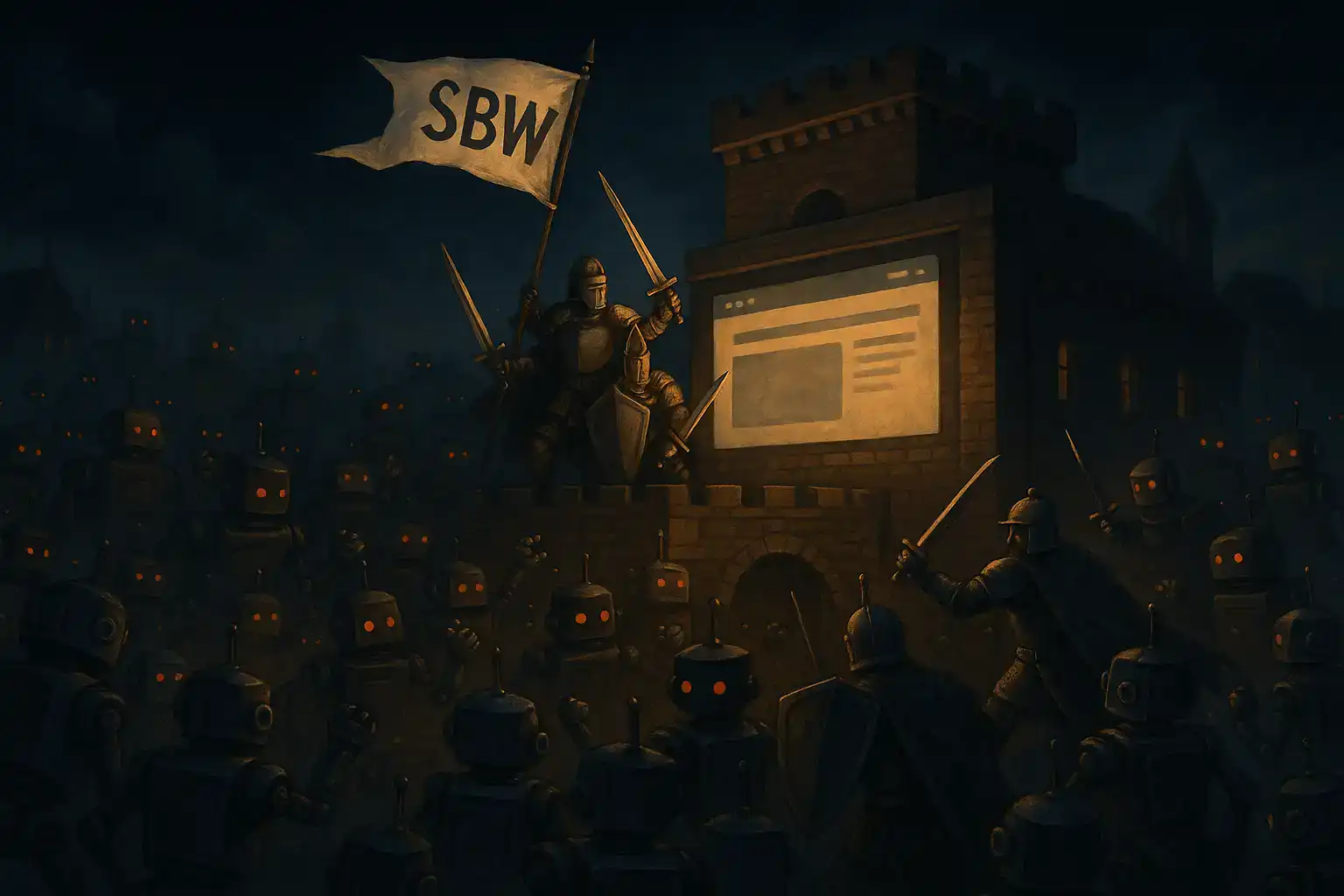
WordPress security is the difference between a site that quietly works for you 24/7 and one that becomes free infrastructure for somebody else’s scams. If you run a WordPress or WooCommerce site, you are already a target, whether you realise it or not.
WordPress Security While You Sleep: Someone Is Testing Your Locks
You go home, lock the office and switch off for the night. Your website doesn’t. It sits on a public street corner of the internet at 2am while automated visitors you will never meet try the door handle, the back window and the side gate.
From your side, everything looks fine. The home page loads. WooCommerce still takes orders. Enquiries still arrive in your inbox. But down at server level, it’s busy – waves of bots quietly probing for weaknesses, and doing it on an industrial scale. Every single day, thousands of WordPress sites around the world are compromised, not because they are famous or controversial, but simply because they are online and a little bit out of date.
For example: on one of our WooCommerce stores we watched a single IP address fire off well over a thousand exploit attempts in a single day. The customer saw nothing unusual. The store kept trading. In the logs, however, it looked like someone methodically walking around the building, testing every door, hatch and skylight, waiting for the one that had been left on the latch.
On another site we were called to after the damage was done, a small out-of-date plugin on cheap hosting was all it took. The front page still “sort of worked”, but visitors arriving from Google were quietly being redirected to scam pages. The business owner only realised when regular customers started asking why their antivirus was screaming about his domain.
This is the uncomfortable truth: small business websites are not beneath anyone’s notice. Automated attack networks love them. They know many are running old plugins, cheap hosting and “set and forget” security. And they know that if they can quietly turn your site into a spam relay, a malware host or another cog in a bigger attack, they can make money long before anyone realises what happened.
WordPress itself is not the problem. Badly maintained WordPress is. The danger comes from a combination of factors – vulnerable plugins and themes, weak hosting, default settings and nobody watching the logs – and that is exactly the mix we see again and again when we’re called in after the fact.
In the sections that follow, we’ll look at where these bots actually try to get in, what they’re trying to do once they’re inside, and how we use secure hosting, firewall rules and tools like Wordfence and NinjaFirewall to keep our clients’ sites – and their reputations – intact. If you run a WordPress or WooCommerce site and you’d prefer to sleep through the night, this is the part most people never see but really need to understand.
WordPress Security: Where the Bots Hit First
If you could watch raw traffic hitting your site in real time, it wouldn’t look like customers browsing a catalogue. It would look like someone working through a checklist. Line after line, a script tests the same handful of weak spots that have paid off on millions of other sites.
The pattern is boring. That’s what makes it dangerous. On a typical WordPress or WooCommerce install, the first knocks are almost always the same:
- Login endpoints – the usual suspects: the standard login URL, the admin URL, sometimes old aliases a previous developer added and forgot. The bots don’t bother with one or two guesses; they spin through lists of passwords until something breaks or they’re blocked.
- Old panels and leftovers – installer scripts, demo control panels, “test” sites parked in subfolders, backup files named after the developer’s dog. Anything that might expose a config file, a password or a way to upload code.
- Known plugin and theme holes – exact URLs tied to specific bugs. If a vulnerability was disclosed in public last year and you never updated the plugin, you may as well hang a sign on the door.
- Upload and form handlers – the plumbing behind contact forms, uploads and checkout. If input isn’t filtered properly, this is where attackers try to smuggle something in under the radar.
- APIs and “convenience” endpoints – the bits that make integrations and mobile apps work. Great for your CRM. Great for an attacker if nobody locked them down.
From their side, this is just business: run the list, log what works, move on. From your side, it looks like a normal day’s traffic graph with a little more noise than usual. Unless someone is actually reading those logs, you will never know how close they came.
What They’re Really After
Hollywood still loves the image of the hacker who breaks in “for fun”. The modern version is less romantic and more profitable. Attack bots are not trying to prove a point. They are inventory shopping.
Once they find a crack, the goals are brutally simple:
- Plant code and stay hidden – a snippet of malicious PHP here, a tweaked template there. The site still loads, the shop still works, but there’s now a private side-channel doing whatever the operator pays for.
- Steal whatever has value – customer details, order histories, email addresses, admin logins. Anything that can be sold, reused or used to pivot into other systems.
- Hijack your reputation – turn your domain into a redirector for scam pages, a landing zone for malware or a spam cannon. Your good name becomes the wrapper for someone else’s bad business.
- Recruit your server – add your VPS to a botnet so it can help knock over other targets, brute-force other logins or run crypto miners in the background while you wonder why things feel slower this month.
The most damaging cases we’ve seen didn’t start with a dramatic outage. They started with a tiny change nobody noticed: a modified file, a new admin user, a redirect that only fired for people coming from Google on mobile. By the time customers complained, the attackers had already had days or weeks of free use of the site.
WordPress Security Failures: The Platform Isn’t the Villain
It’s easy to blame the platform. WordPress is big, visible and everywhere, so it gets blamed for everything. The reality is uglier and less satisfying: WordPress core is generally solid; the soft parts are the gaps around it.
That soft layer looks like this:
- Plugins and themes quietly aging in place because “the site still works, we’ll update later”
- Cheap hosting that packs sites together and calls it a day
- Default settings left untouched because nobody wants to break anything
- No one responsible for actually watching security alerts or change reports
Strip away the marketing gloss and most hacks reduce to the same story: a bug that was patched months ago, a plugin that should have been removed, a default configuration that nobody revisited, all sitting on infrastructure that was never designed to be watched closely.
That is why our starting point at Sydney Business Web is dull, methodical work: locking down entry points, tightening hosting, removing leftovers, and making sure somebody is actually looking when the alarms go off. It is not glamorous. It is what keeps clients off the incident-response treadmill.
Wordfence, NinjaFirewall and the Difference Between Tools and Strategy
This is where the usual advice kicks in: “Install a security plugin.” It’s not wrong. It’s just incomplete.
WordPress Security with Wordfence: The Door Staff
Wordfence sits between the outside world and your code, looking for trouble. It:
- Inspects requests before WordPress runs and blocks the obviously bad ones
- Shuts down brute-force login attempts and enforces sane login rules
- Scans files for changes and known malware patterns
- Lets you rate-limit and block abusers instead of just watching them hammer you
The free version is a solid start. The paid version adds fresher threat intelligence, faster rules and extra blocking options that matter when every minute of downtime is real money.
NinjaFirewall: The Early Warning Layer
NinjaFirewall takes a slightly different position in the stack. It hooks into the HTTP conversation earlier, filtering and sanitising requests before they ever get near WordPress. Think of it as a very picky customs officer sitting in front of your application.
Configured well, NinjaFirewall can:
- Stop whole classes of attacks before they hit your PHP code
- “Virtually patch” some vulnerabilities while you schedule proper updates
- Generate logs that actually explain what’s being blocked and why
The Catch: Someone Has to Tune the Dials
Both tools are excellent. Neither is magic. Out of the box, they do a decent job of stopping the worst of the noise. To really earn their keep, they need an adult in the room:
- Rules tuned so genuine customers aren’t blocked while bots are
- Alerts wired to someone who understands what a spike in blocked XML-RPC calls actually means
- IP bans and rate limits adjusted based on the patterns we see in your logs, not somebody else’s template
- Regular reviews so your defences change as the attackers do
That’s where we live. At Sydney Business Web, we run Wordfence and NinjaFirewall as part of a layered defence – sitting on top of hardened hosting, sane configuration and active monitoring – so you’re not relying on one plugin to save the day while nobody’s watching.
It’s Not Just WordPress in the Firing Line
If you ditched WordPress tomorrow and moved to something “more secure”, the bots would not send flowers. They would keep doing exactly what they do now: scan IP ranges, follow links, fingerprint whatever is running and fire the appropriate script.
Custom PHP sites, headless builds, Shopify, Magento, BigCommerce – they all get the same treatment. Different frameworks, same playbook: find a weak plugin, a forgotten admin panel, an unpatched bug, then turn it into revenue.
That’s the bit most platform arguments miss. The attackers don’t care what label is on your CMS. They care about:
- How easy it is to fingerprint your stack
- How many known vulnerabilities exist in the ecosystem
- How likely it is that a random site owner has actually patched them
- Whether anyone is watching when something starts to look wrong
Switching platforms without changing the discipline around updates, hosting and monitoring is just moving the same risk into a different costume. The technology helps. The habits and the people behind it matter more.
What We Actually Do When We Take Over a Site
When Sydney Business Web takes responsibility for a WordPress or WooCommerce site, we don’t start with a new hero image. We start with a triage:
- Map the attack surface – find every login, every admin panel, every “temporary” URL and old test site that was never deleted.
- Audit plugins and themes – remove what’s not needed, update what is, replace anything that’s become a liability.
- Harden the hosting – put the site on properly managed infrastructure, tighten the firewall, enable sane rate limiting.
- Deploy and tune Wordfence and/or NinjaFirewall – not just “activate”, but configure around the real traffic patterns we see.
- Lock down logins – enforce strong credentials, reduce exposed login endpoints, and add two-factor where it makes sense.
- Set up monitoring that isn’t just noise – logs and alerts that someone will actually read, and know how to respond to.
- Fix backups properly – make sure there is a clean, recent, test-restored copy of the site that we can roll back to if needed.
Only once that is in place do we relax. Design work, UX tweaks, conversion optimisation – all of that sits on top of a site that isn’t quietly being turned into infrastructure for somebody else’s crime business.
Because we’re local – based in Thornton NSW 2322 and working with businesses across the Hunter and Australia-wide – you’re not shouting into a ticket system overseas. You get to talk to the people who read your logs and configure your firewall rules.
What WordPress Security Means If You Own a WordPress or WooCommerce Site
If you remember nothing else from this article, take this:
- Your site is being tested, whether you are “important” or not.
- WordPress itself is rarely the root cause – neglect usually is.
- Security plugins like Wordfence and NinjaFirewall are powerful, but they need an operator, not a checkbox.
- Cheap, noisy hosting and “set and forget” maintenance are exactly what modern attack networks are built to exploit.
You don’t need to become a security engineer. You do need someone who thinks like one staring at your site on a regular basis.
If you’d like to know what’s really happening to your site while you sleep – or you’ve had a scare already and want a clean start – talk to Sydney Business Web. We’ll look at your hosting, your WordPress setup, your logs and your firewall, and give you a straight answer on where you stand and what needs to change.
WordPress Security for Small Businesses – FAQ
What is WordPress security and why does my small business need it?
Are small WordPress and WooCommerce sites really targeted by bots at night?
Is WordPress itself insecure, or is my hosting the problem?
How do Wordfence and NinjaFirewall help protect my WordPress site?
Can Sydney Business Web manage WordPress security for me?
What is the first step to improve my WordPress security?
CONTACT SYDNEY BUSINESS WEB NOW!
get started online NOW with your ONLINE BUSINESS ENGINEERING