Why you shouldn’t have to “speak geek” to get a website that works
If you run a business in Thornton, Maitland or Newcastle, you already have enough on your plate. You shouldn’t have to learn a new language just to get a website that brings in customers. Yet that’s exactly where many owners find themselves – nodding politely while a developer talks about plugins, themes and frameworks, and hoping it somehow turns into phone calls and enquiries.
The truth is simple: you don’t need to become a web technician. You need a developer who understands your business, your market and your money – and who can translate the “geek stuff” into outcomes you actually care about: more leads, better clients, higher trust.
That’s where the right questions to ask your web developer come in. You don’t need to debate code. You just need to ask about things you can understand and measure: how fast the site loads, how clearly it explains what you do, how it appears in Google, how well it turns visitors into enquiries, and how safe your data is.
Yes, a site should look good. Design matters. People judge you in seconds. But our own numbers – and Google’s – make one thing painfully clear: pretty on its own doesn’t pay the bills. Under the surface, Google is looking at speed, structure, mobile experience, schema and metadata. Your visitors are looking for clarity, proof and an easy next step. When those two worlds line up, that’s when the site starts earning its keep.
This article is written to bridge that gap. No jargon for the sake of it. Just the key questions any business owner can ask a web developer to find out whether they’re building a glossy brochure… or a fast, secure, lead-generating asset that actually moves the needle for your business.
1. Start with ownership: who actually controls your digital asset?
Before you talk colours, logos or fancy effects, there’s one brutal question to settle: who owns this thing when it’s finished? Not in theory – on paper, in logins and in law.
If you don’t get this right, you don’t have a website. You have a hostage. And the moment you want to change developer, prices, or direction, you’ll pay for it.
Here are the first questions to ask your web developer, before a single pixel is designed:
- Domain name: Is the domain registered in your name, with your email and ABN? If the developer “looks after it for you”, you could already on the back foot with some developers. We advise pur clients in writing thaty the domain belongs to them no matter who is 'looking after it'.
- Hosting: Do you get your own hosting login, or are you buried on a mystery server you never see? You don’t need to manage it – but you must be able to access it if required - get a written statement this effect. If your developer drops you or vice versa, you need that security.
- Content and design: Who owns the copy, images and layout? Can you legally take them with you if you move, or are you renting someone’s locked-down template?
- Licences and plugins: If they cancel their bulk licence for a theme or plugin, does your site break – or do you have your own licence key? Our method is to provide a technical support contract - as lomng as a custome rhosts with us and has a contract, the dpftware and site functionality is our responsibility. If the customer moves, all details of plugin and theme licenses required are made available to the customer.
A good developer won’t flinch at these questions. They’ll be happy to put it in writing that you own your domain, your content and your data, and that you can move at any time. At Sydney Business Web we build as if you might outgrow us one day – because when you know you’re free to leave, staying becomes a genuine choice, not an obligation.
2. Speed and reliability: what actually matters
Your customers in Thornton, Maitland and Newcastle don’t see servers, CDNs or data centres. They see a page that either appears quickly and feels trustworthy – or doesn’t.
That’s why the smart questions to ask your web developer aren’t “is the server in Australia?” but “what are you doing to make this fast and reliable wherever the hardware lives?” A well-configured server in the US or EU, fronted by a good CDN and proper caching, can be faster in the Hunter than a bargain, overloaded box down the road.
- How will you make the site fast for my customers? Look for a clear plan: quality hosting, a proper CDN (such as Cloudflare), page caching, image optimisation and keeping unnecessary code to a minimum. “We’ll install a speed plugin” is not a full strategy.
- What do you measure? Ask which simple speed and usability metrics they track – in plain English, how quickly the main content appears and how responsive the page feels on a normal phone connection.
- How do you handle uptime and incidents? Do they monitor for downtime? What is the process if the site goes offline or slows to a crawl?
- How is security built in? SSL, firewalls, login protection and regular updates should be part of the standard build, not an afterthought.
Fast video, not slow fluff
Modern sites that convert well rarely rely on static images alone. Short, well-chosen video clips can show movement, atmosphere and proof in a way a flat picture never will. The problem is that badly handled video is one of the quickest ways to destroy load time.
So here are specific questions to ask your web developer about video:
- Where will the video be served from? Large files should not be streamed directly from the same web server that runs WordPress. They should live on a CDN or object storage (for example Cloudflare with a CDN front) so they are delivered quickly and efficiently.
- How will the video be compressed? A ten-second hero clip does not need to be a 100 MB monster. With proper encoding in a tool like HandBrake, that same clip can typically be brought down to well under 10 MB while still looking sharp on a normal screen.
- How is the video embedded? Ask whether the video is set to load in a way that does not block the rest of the page. A good implementation will show the main content quickly, then load the video, rather than making visitors stare at a blank screen.
- What about mobile? On phones, heavy auto-play video can burn data and annoy users. Your developer should be able to explain how they handle smaller screens – for example, by using a lighter version of the clip or a static fallback image where appropriate.
Handled properly, video becomes an asset: it makes the site feel alive and keeps people on the page, without sacrificing speed. Handled badly, it turns every visit into a waiting game. The difference is not luck – it is whether your developer has a clear, technical plan for hosting, compressing and delivering those clips.
The important thing is not the postcode of the server, but the experience your visitors get in those first few seconds: the page appears quickly, the content is readable, and if there is video, it plays smoothly instead of grinding everything to a halt.
3. Maintenance, updates and security: what happens after launch?
A lot of web projects fail not because the launch was bad, but because nothing sensible happens afterwards. WordPress changes, plugins change, new security holes are discovered, and suddenly that nice fresh site is running on stale code.
So one of the most important questions to ask your web developer is very simple: “What exactly do you do for the site after it goes live?” If the answer is “nothing, unless you call us”, you are relying on luck.
- Who is responsible for updates? Ask who applies WordPress core, theme and plugin updates, how often they do it, and whether they check the site afterwards. Automatic updates with no oversight can cause as many problems as they solve.
- How are backups handled? You want to know how often backups run, where they are stored, how long they are kept, and how a restore works in practice. A backup that has never been test-restored is only a theory.
- What does the security setup look like? Ask about firewalls, login protection, rate-limiting, spam control and malware scanning. There should be a clear, repeatable setup – not a one-off plugin someone installed years ago and forgot.
- How quickly will you respond if something breaks? Get clarity on support hours, response targets and how to reach them. For example, is there an email address that goes to a monitored helpdesk, or just a mobile number that may or may not be answered?
None of this requires you to become technical. You are simply checking that there is a plan, that it is written down, and that someone is clearly responsible for carrying it out.
At Sydney Business Web, for example, we separate the build from the ongoing technical support contract so everyone knows where they stand: during the contract we are responsible for keeping the software up to date, watching security and dealing with problems. If a client chooses to move on, we document the setup and hand over what the next developer needs. However you choose to work, your developer should be willing to state just as clearly what they will do, and when.
4. How will we measure success, not just “have a website”?
Far too many projects end with the developer saying, “There you go, your site is live,” as if that were the finish line. It isn’t. A live site is just a tool. The real question is: does it produce leads, sales and enquiries for your business?
So another set of key questions to ask your web developer is about how you will both know the site is doing its job.
- What is this site supposed to do? Ask them to restate your goals in plain language: more phone calls, more quote requests, more bookings, more online sales, more email sign-ups. If they can’t say it clearly, they can’t build for it.
- How will you track those goals? Your developer should propose a simple tracking setup: Google Analytics, Google Search Console and basic conversion tracking on key actions such as contact forms, calls-from-click and “Add to cart”.
- What will I see each month? You don’t need a 30-page report. You do need a short, human summary: how many people came, what they did, and whether those actions turned into real enquiries and sales.
- How will we adjust when we see what’s working? Ask how changes are handled. If a particular page or offer performs well, what is the process for building more of that? If something clearly fails, who decides what to test next?
For our clients around Thornton, Maitland and Newcastle, we focus on a handful of numbers that matter: how many people arrived, how many took a meaningful action, and which pages or campaigns drove those actions. Your developer doesn’t need to bury you in jargon – but they do need to show you, with data, that the site is earning its keep and not just existing on the internet.
3. Under the hood: what Google actually sees
Humans see colours, images and layout. Google sees code. When its crawler hits your site, it is not admiring the design – it is reading structure, text, links and signals that tell it what the page is about and who it should show it to.
This is where many “pretty” sites fall over. They look fine to the eye, but under the hood they are a jumble of headings, bloated code and missing signals. So a crucial set of questions to ask your web developer is about how they build for Google as well as for people.
- How will you structure each page? Ask how they use headings (H1, H2, H3), paragraphs and lists so that Google can quickly understand the main topic, the sub-points and the supporting detail. One H1 per page, clear sections, no random bold everywhere.
- What will you do with titles and meta descriptions? Page titles and meta descriptions are still core signals. Your developer should plan them deliberately, not let WordPress guess. For example, a service page for “Website designer Thornton NSW” should actually say that in the title.
- How will URLs and internal links work? URLs should be readable (e.g.
/website-designer-thornton/, not/?p=123). Key pages should link to each other in a way that makes sense to a human and to Google – service pages, location pages and relevant blog posts supporting each other. - What schema will you use? Ask whether they plan to use structured data (schema) to help Google understand the business and services – for example LocalBusiness, Service, Product or FAQ schema where appropriate. This isn’t magic SEO dust, but it makes it easier for Google to categorise you correctly.
- How will images and video be described? Alt text and captions are not just for accessibility. They also tell Google what is in an image or clip. A good developer will avoid “IMG1234” and use descriptions that match the page topic in natural language.
- What about mobile and Core Web Vitals? Google now gives strong weight to how a page behaves on a phone. Your developer should design mobile-first layouts, keep layout shifts under control and pay attention to responsiveness, not just desktop screenshots.
None of this requires you to fight your way through code. You simply need to know that there is a structure, that things like titles, headings, URLs, schema and internal links are being planned on purpose, and that your site will make sense to Google as well as to your visitors.
When we build at Sydney Business Web, this “under the hood” work is part of the job, not an optional extra. However you choose to proceed, your developer should be able to explain their approach to Google’s view of the site in the same calm, practical way.
Don’t be bullshitted: use the Q&A sheet
You don’t have to out-geek a web developer. You just have to make it clear you’re not an easy mark.
There’s a free Q&A checklist at the end of this post. Print it, bring it to the meeting, and use it to keep the conversation honest.
PRINT THE CHECKLIST. BRING IT TO THE MEETING. DON’T SHOW IT. USE IT.
YOU’RE NOT TRYING TO IMPRESS THE DEVELOPER. YOU’RE MAKING SURE THEY CAN’T HIDE BEHIND JARGON WHEN IT COMES TO OWNERSHIP, SPEED, STRUCTURE, SECURITY AND RESULTS.
Don’t wave the sheet in their face. Don’t apologise for it. Just have your notes in front of you and work through a normal conversation while quietly ticking off the questions and noticing how confidently they respond.
THE GOAL ISN’T TO CATCH THEM OUT. THE GOAL IS TO SEE WHO RELAXES WHEN THEY REALISE YOU UNDERSTAND THE BASICS – AND WHO STARTS BLUFFING.
This is solid buying psychology. When a developer realises you have a framework and you’re not dazzled by buzzwords, the whole tone of the conversation changes. The good ones can talk straight. The ones who rely on fluff and vague promises usually reveal themselves very quickly.
Later on, you can keep that checklist as a one-page PDF in your files and reuse it every time someone wants to rebuild or “redo” your site. One tool, used well, can save you from years of expensive, pretty but underperforming websites.
4. Ongoing support: what happens when something breaks?
A lot of the real pain with websites doesn’t happen on launch day. It happens later, when something changes, something breaks or something gets hacked – and no one seems to be responsible.
So another set of crucial questions to ask your web developer is about support and responsibility after the site goes live.
- Who is responsible for updates and security? Ask who applies WordPress core, theme and plugin updates, how often they do it, and who checks that the site still works afterwards. This should be a routine process, not “when we remember”.
- How are backups handled? Find out how often backups run, where they are stored and how a restore would work in practice. A backup that has never been test–restored is just a hope.
- How do I reach you when there is a problem? Do they have a proper helpdesk system (support email or portal that is monitored), or is it just a mobile number? Ask what their normal response time is, what happens for urgent issues, and whether there is any out-of-hours cover.
You don’t need to run any of this yourself. You simply need clear answers in writing: who updates the site, how it is protected, how it can be restored, and how quickly someone will move when something goes wrong. Those points belong on the same printed Q&A checklist as all the build questions – because a neglected site can cost you just as much as a badly built one.
5. Measuring success: how do we know this is working?
“Your site is live” is not a result. It’s the starting line. What matters is whether it quietly gets on with its job: bringing you the right visitors from Google and turning a sensible percentage of them into enquiries, bookings or sales.
So one of the most important questions to ask your web developer is: “How will we measure whether this site is working?” If there is no clear answer, you are buying a brochure, not a business asset.
- What is this site supposed to do? Ask your developer to repeat your goals in plain language: more phone calls, more quote requests, more online orders, more email sign-ups. If they can’t say it back clearly, they can’t build for it.
- How will you set up tracking? A professional developer will propose a simple analytics stack: Google Analytics, Google Search Console and basic conversion tracking on key actions such as form submissions, click-to-call buttons and checkout completions.
- What will I see each month? You don’t need a 30-page PDF. You do need a short, human summary: how many people arrived, what they did, and how many turned into real-world leads or sales. Ask what they will actually send you.
- How will we improve over time? Once the site has some data, what is the process for improving it? If a particular page or offer works well, how will they help you build on it? If something clearly fails, who decides what to test next?
For our own clients around Thornton, Maitland and Newcastle, we focus on a handful of numbers that matter: visitors, meaningful actions and enquiries. Your developer doesn’t have to turn you into a data analyst, but they should be able to show you, in simple terms, that the site is earning its keep rather than just looking pretty on the internet.
6. Bringing it all together (and what’s coming next)
You don’t need to learn code, memorise acronyms or argue about plugins. You just need to ask the right questions and pay attention to the answers.
The checklist in this article is designed to do exactly that. It helps you spot the difference between a developer who understands ownership, speed, structure, security and results – and one who is just selling you something pretty and vague.
Here’s the simple next step:
- Download and print the free “Questions to Ask Your Web Developer” checklist.
- Bring it to your next web meeting – don’t show it, just use it.
- Note who relaxes and talks straight… and who starts bluffing.
If you’re in Thornton, Maitland, Newcastle or anywhere in the Hunter and you’d like to work with a team that welcomes these questions, that’s exactly how we operate at Sydney Business Web. We expect you to check us – and we’re happy to answer every line on that sheet.
Coming soon: the eCommerce version
This article focuses on business websites in general. Very shortly we’ll publish a follow-up specifically for eCommerce stores and WooCommerce sites – including extra questions about product data, payment gateways, security, stock syncing and performance under load.
Keep an eye on the blog (or our Google Business Profile) for the “Questions to Ask Your eCommerce Developer” checklist. It will work the same way: one printable sheet that keeps the conversation honest before you commit thousands of dollars to a new online store.
In the meantime, start with this checklist, ask better questions, and don’t be bullshitted. Your next website should be an asset, not an experiment.
Important Questions to Ask Your Web Developer Before Signing
What are the most important questions to ask your web developer before signing a contract?
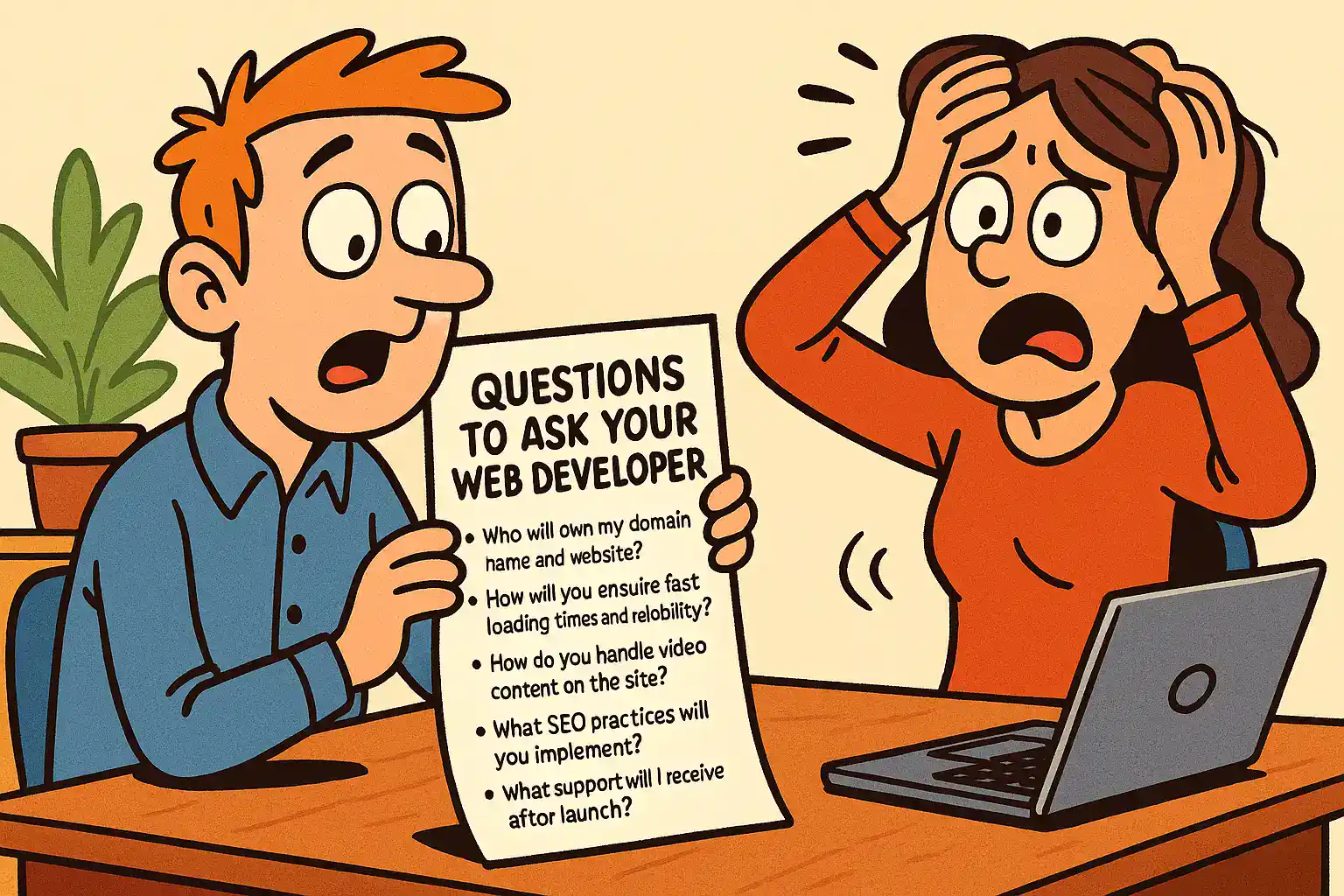
Who should own my domain name and website?
How will you make sure my website is fast and reliable for my customers?
How do you handle video on my website without slowing it down?
How will you set up my site so Google can understand and rank it?
What support and reporting will I get after the site goes live?
Internal References (Sydney Business Web)
| Topic | Internal link | Why it’s useful |
|---|---|---|
| The main checklist page | Questions to Ask Your Web Developer | The full context + printable checklist. |
| Ownership + scope clarity | Business Website Specification: Why it’s vital | Stops “vague promise” projects and disputes. |
| Hosting quality + reliability | Website Hosting (Australia) | Sets expectations on uptime, support, and stack. |
| Speed + bot pressure | Servers and Bots: Why “fast” servers still run slow sites | Explains slowdowns that aren’t “your site”. |
| Video done properly | Cloudflare Outage 2025 (why CDN resilience matters) | Good segue into CDN/storage for media. |
| Security + fraud realities | SMS OTP for eCommerce Security (fraud case study) | Supports the “support + security” questions. |
| AI crawling + server load | GPTBot Explained: Why AI is scanning your website | Helpful when clients see weird traffic. |
| WooCommerce “supportability” | Headless WooCommerce: Decision checklist | Reinforces “support, rollback, complexity”. |
External References (Useful, Working Sources)
| Source | External link | Why it’s useful |
|---|---|---|
| PageSpeed Insights | Baseline speed testing (mobile + desktop). | |
| Google Search Central | Understanding Core Web Vitals | What Google actually measures & cares about. |
| Google Search Console Help | Core Web Vitals report | How to interpret CWV inside GSC. |
| FAQ structured data (FAQPage) | Correct implementation rules (avoid spam). | |
| Schema.org | FAQPage definition | Canonical vocabulary reference. |
| web.dev (Google) | Learn Core Web Vitals | Plain-English explanations for clients. |
| auDA | auDA WHOIS (.au domain holder lookup) | Quick “who owns this domain?” verification. |
| Google Search Central | Google Search core updates | Reference when rankings wobble after updates. |
CONTACT SYDNEY BUSINESS WEB NOW!
get started online NOW with your ONLINE BUSINESS ENGINEERING